Screen recording too large? ↗
Choose resolution, frame rate and audio for the task.
A little lighter. A lot more useful.
Screen recording for Mac, with smaller files, system audio and local transcripts. Save the part you need. Keep it useful.
One-time purchase · macOS 13+ · No LiteRec account
01 / Make room
For slides and walkthroughs, start with Compact. For fine text or fast motion, choose more detail. You control the trade-off.
Estimate from target bit rates, including audio. Decimal MB/GB; container overhead excluded. Actual size varies with content and encoding. This is not a benchmark or a file-size guarantee.
Lower settings reduce detail and motion smoothness.
02 / Keep the words
Download a speech model, then transcribe locally on your Mac. Review the text, replay passages and export your notes or subtitles. Local transcription has no additional usage fee after purchase.
Up to 5 hours per file. Accuracy varies; review important text. Optional cloud transcription uses your own API account and may cost extra.
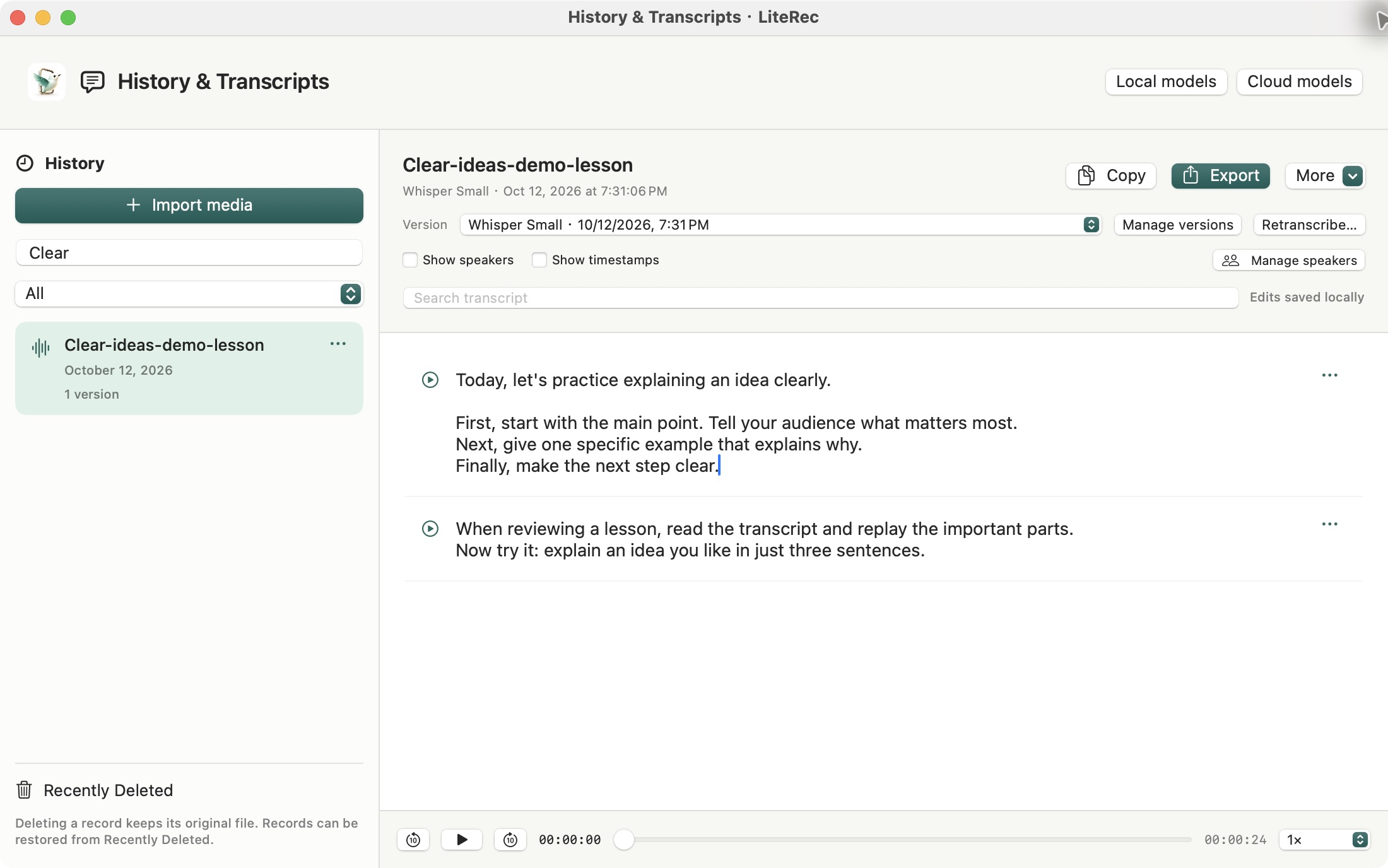
Actual app interface · Reviewed demo text
03 / Made for your Mac
The Mac App Store release is under review. Availability and the final local price will appear in the store when released.
Recording needs macOS 13 or later. Some local models require macOS 15. Mainland China availability is pending the applicable filing and store requirements.
Practical guides
Choose resolution, frame rate and audio for the task.
Save the sound you need as an M4A file.
Prepare a model, review the transcript and export.
No. This version records system playback audio only. For a call, your own voice will not be captured unless it is actually included in system playback.
Local mode runs on your Mac after a model download. Model downloads use the network. Cloud mode uploads extracted audio to your chosen provider after confirmation.
Recording has no fixed app timer limit, but depends on storage, power and system resources. Transcription is limited to 5 hours per file. Test before an important session.
This release is for Mac. No iOS or iPadOS release date is announced.